When it comes to running a successful school picture day, great marketing can make or break your results. But here’s the secret most photographers miss: your school can (and should) be your biggest marketing partner. In this guide, Shawn Cantrell of the H&H Color Lab Schools and Sports Program reveals how to make that happen—with less friction, more impact, and zero overwhelm for school staff.
Why Schools Want to Help (But Don’t Always Know How)
Most schools actually want picture day to succeed. Whether it’s due to commissions, fundraisers, or parent satisfaction, they’re invested. The problem? They’re busy. Between teaching, managing classrooms, and supporting students, picture day marketing often takes a backseat.
That’s why your job is to make it easy for them to promote your services. The easier it is for a school to support your marketing efforts, the more likely they are to consistently do it. Enter: the imago organization page.
One Link to Rule Them All: Simplify with an imago Organization Page
Instead of asking schools to juggle multiple picture day links—fall portraits, spring photos, yearbooks, sports, dances, and more—imago gives you the power to consolidate everything into one branded, custom URL. You can use the same link year after year, and schools can easily share it on their website, in newsletters, or through text blasts without confusion or constant updates.
Inside imago, photographers can:
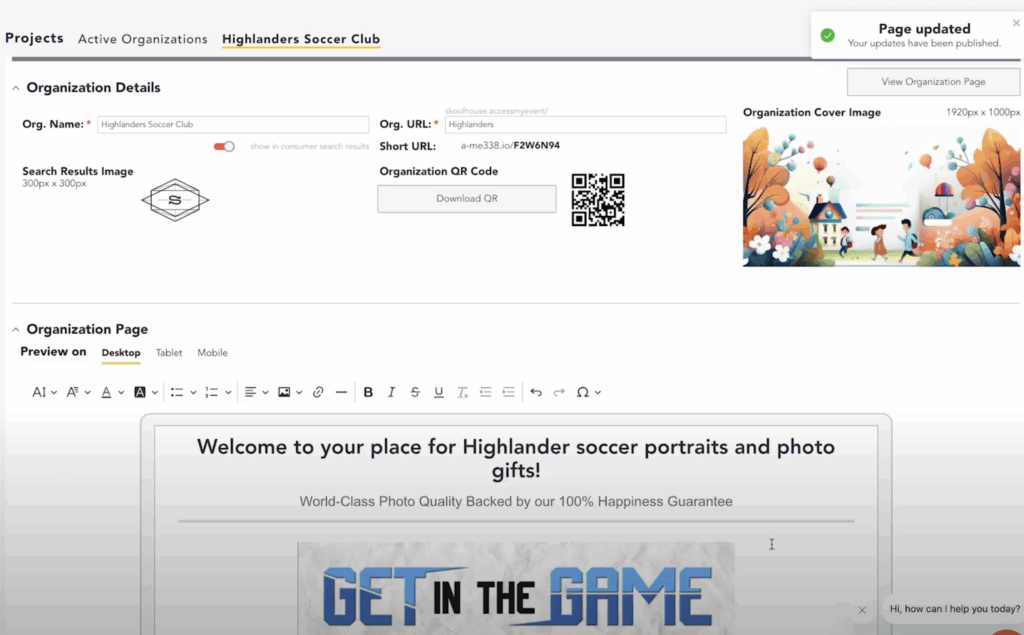
Create branded organization pages for each school or league
Customize with logos, cover photos, and personalized welcome messages
Automatically display current picture day events and ordering options
Easily add or update events throughout the year
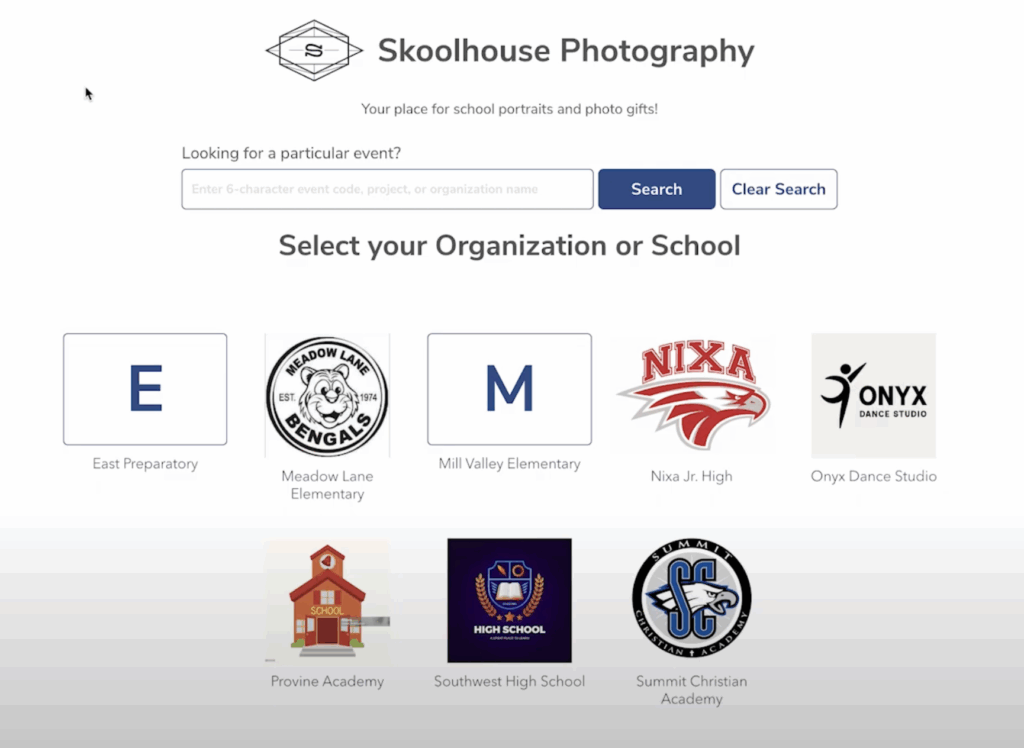
This creates a seamless, professional hub that gives parents confidence and gives schools a simple tool to distribute.
Set It Up in Minutes
Setting up an Organization Page inside imago is quick:
Create a new organization with the school’s name and a clean URL.
Upload a cover image that reflects the school or event (e.g., a field, mascot, or logo).
Add a search icon and tailored welcome text with key ordering details.
Preview how it looks on mobile and desktop, adjust as needed.
Add events as they become available—parents will always see the most current options.
Boost Sales and Simplify Communication
This “one-link” strategy helps drive more orders, saves the school admin time, and positions you as the go-to photographer for organized, professional service. By making it effortless for schools to support your marketing, you create a win-win experience that builds loyalty and long-term partnerships.
Ready to Make Picture Day Easier—for You and Your Schools?
Start using imago to streamline your workflow, boost parent engagement, and make it effortless for schools to promote your services.