Marketing often ends up as an afterthought in school photography, but it’s the to driving higher order volume and repeat business. In this hands-on training, Shawn Cantrell of H&H Color Lab breaks down how to set up a simple, fully automated marketing campaign inside imago that does the heavy lifting for you.
Three Audiences. Three Campaign Types.
The first step in imago is understanding who you’re talking to. The platform allows you to tailor marketing messages based on where each customer is in the buying process:
- Prospects: Families who haven’t interacted with your images or packages yet. This campaign is about building awareness, creating urgency, and driving them to the gallery or pre-sale site.
Leads: Parents who viewed the gallery or clicked a link, but didn’t place an order. This follow-up campaign re-engages them and encourages conversion.
Buyers: Customers who placed an order. This stream keeps them informed about delivery, upsell opportunities, and future events.
You don’t need to master all three campaigns at once. Start simple. Even a focused prospect campaign can drive major results.
Building the Prospect Campaign Step-by-Step
Shawn walks through exactly how to build a campaign from a template inside imago. Here’s the process:
Choose Your Journey: Pick a template based on your sales model (e.g., pre-sale + gallery).
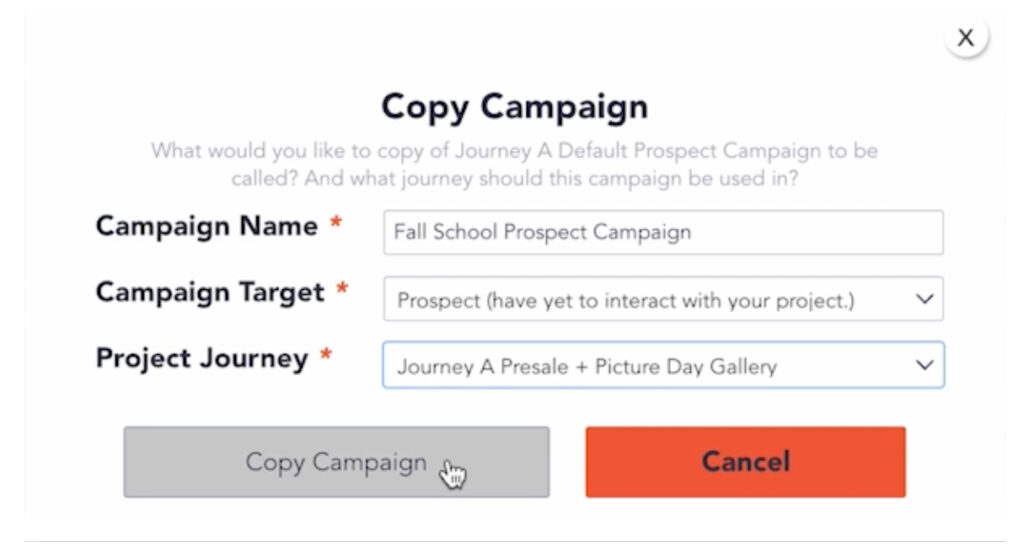
Duplicate and Rename: Customize the campaign name so it’s clear what it’s for.
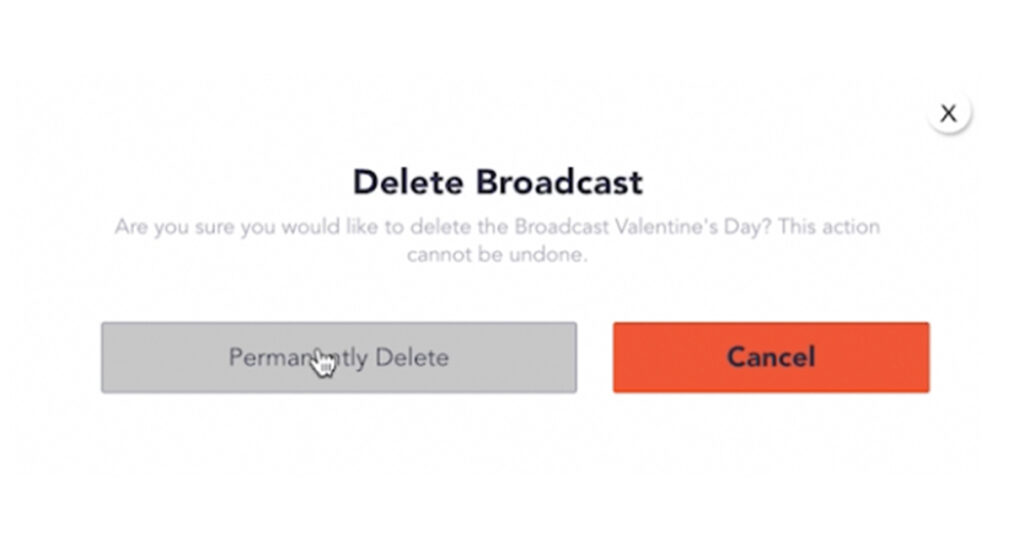
Trim the Extras: Delete any irrelevant broadcasts, like holiday-specific messages, to keep it clean.
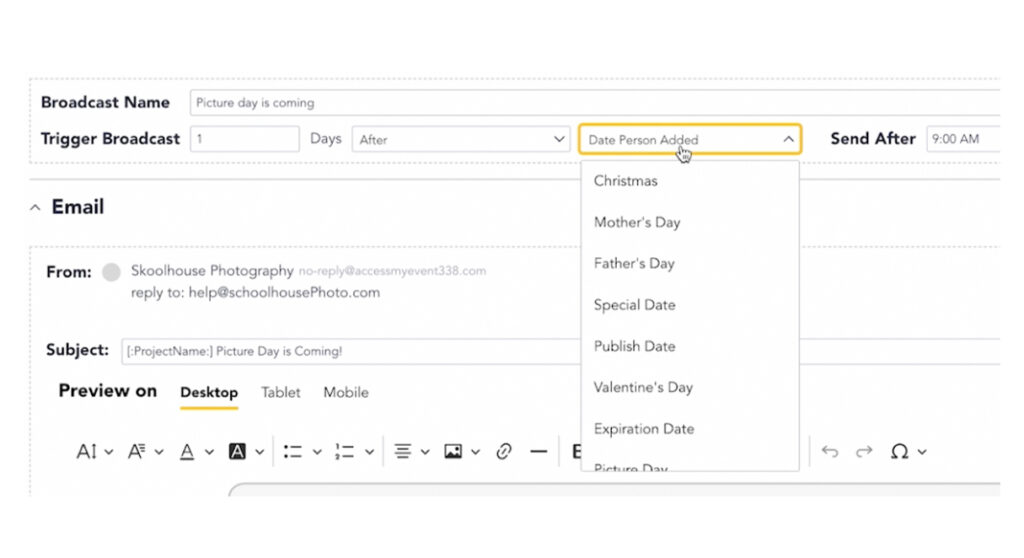
Set Send Dates: Emails can trigger based on picture day or project activity. For example:
Immediately after adding an email address
5 days before picture day
1 day before picture day
2–3 weeks after picture day (to drive gallery sales)
Smart Personalization with Keywords
Our program allows you to use dynamic “marketing keywords” to personalize every email without creating dozens of versions. For example:
[:ProjectName:] plugs in the school name or photo event title
[:PictureDay:] inserts the actual date
[:ProjectURL:] links to the specific gallery or order page
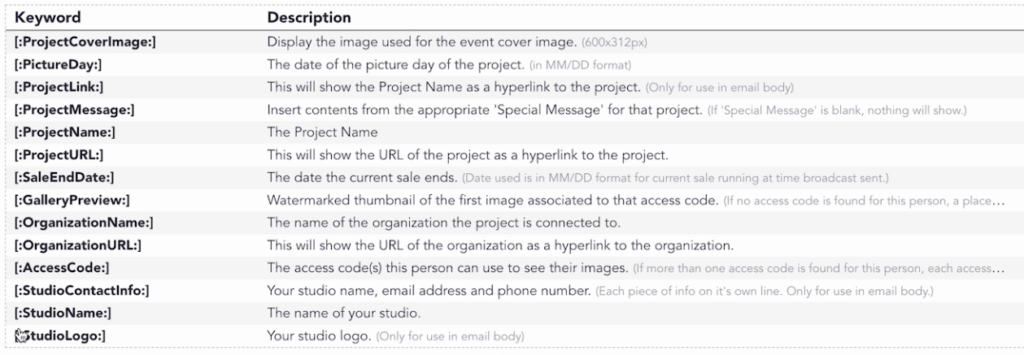
These fields auto-populate based on each project, allowing you to scale communication while keeping it personal.
Mobile-First Design That Will Convert Leads
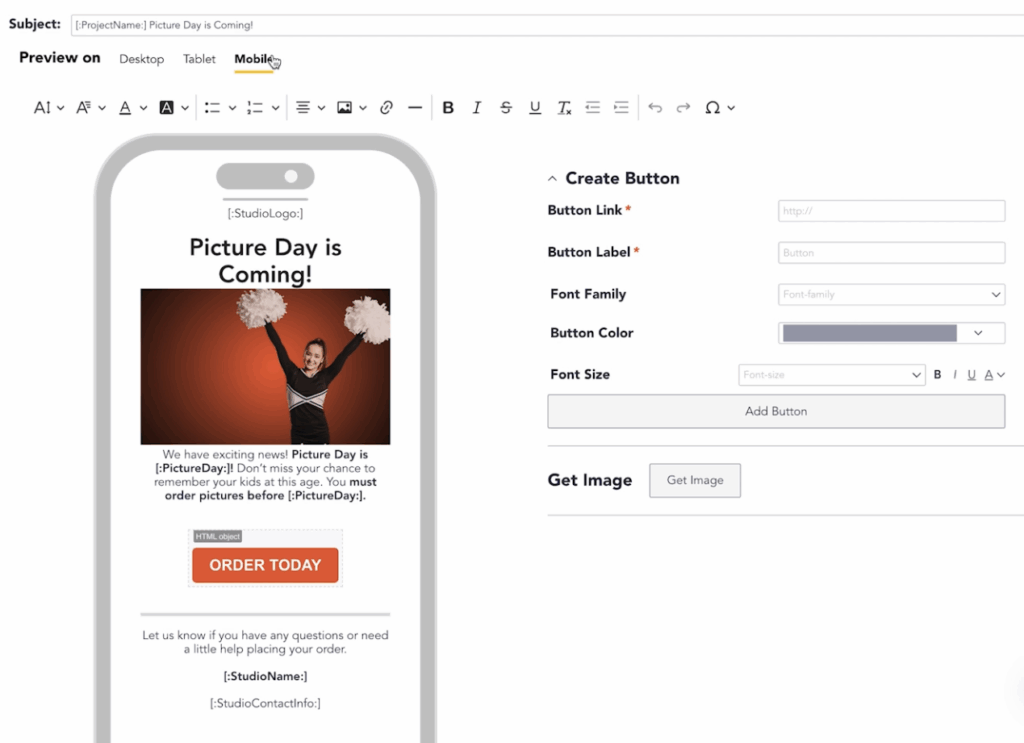
More than 85% of school photo orders come from mobile devices. That’s why Shawn emphasizes building your campaigns in mobile preview mode.
Use short, skimmable text blocks
Include high-quality visual assets (change sports photos to school portraits when needed)
Keep buttons clear, like “Order Today” or “Shop Now”
Link directly to galleries using dynamic project URLs
You can also add visuals like magnets, gifts, and popular product images to increase clicks and conversions.
Test Before You Send
Before going live, send test emails to yourself or a colleague. Click every link. Confirm every date. It takes two minutes and avoids costly mistakes.
Scale Efficiently
Once your prospect campaign is live, you can easily duplicate and adjust it for leads and buyers. Imago allows you to build one master template and repurpose it across every school you serve—saving time while keeping your communication consistent.
Ready to Launch?
If you’re ready to stop guessing and start scaling your school photography business with smart marketing, imago gives you the tools to do it right.
Fill out the form below to get started today and automate your next campaign with confidence: